
Build a Marketing Performance Dashboard That Actually Grows Your Small Business
A marketing performance dashboard brings your most important metrics into a single, actionable view so you can spot what’s working, stop what isn’t, and shift budget to channels that generate leads and revenue. This guide walks through how dashboards work, which KPIs matter most for small businesses—especially home renovation and remodeling firms—and how to build dashboards that measure and optimize campaigns in near real time. Many owners wrestle with scattered reports across ad platforms, website analytics, and CRMs; a dashboard fixes that by unifying data and surfacing trends you can act on. You’ll get a clear list of what to include, step-by-step build guidance, integration priorities, ROI measurement methods, and remodeler-specific examples. Along the way we use practical checklists, comparison tables, and design tips so you can launch a pilot dashboard with measurable success criteria and a reliable review rhythm.
What Is a Marketing Performance Dashboard and Why Does Your Small Business Need One?
A marketing performance dashboard is a visual report that pulls KPIs from multiple systems to show how marketing activity translates into leads and revenue, enabling faster decisions and tighter budget control. By consolidating ad platforms, website analytics, and CRM data, a dashboard cuts out manual reconciliation and highlights trends—rising cost per lead, falling conversion rates, or which campaigns are driving real pipeline. For small businesses that means fewer guesses: reallocate spend quickly, double down on high-quality lead sources, and standardize reporting for consistent follow-up. A thoughtful dashboard also creates accountability by tying campaigns to outcomes like booked consultations or estimated project value, which improves forecasting and staffing choices.
How Does a Marketing Dashboard Help Track Key Performance Indicators?
Dashboards track KPIs by bringing scattered metrics into unified visualizations—charts, tables, and filters—that reveal performance over time and by segment. They work by linking campaign identifiers (UTMs, ad IDs) to CRM lead records so metrics like cost per lead (CPL) and lead-to-job conversion can be calculated automatically. For a remodeler, that means you’ll notice a sudden drop in local search leads or a weaker close rate from a specific ad set within hours, not weeks, and be able to adjust bids or creative immediately. The consolidated view also supports alerts and annotations so teams know when a change happened, helping you trace cause and effect. Understanding this tracking flow helps you pick the right KPIs and prioritize which data sources to integrate next.
What Are the Benefits of Using Marketing Dashboards for Small Business Marketing?
Marketing dashboards deliver several practical benefits for small teams with limited time, budget, and staff. They make ROI visible by connecting spend to sourced leads and estimated revenue, eliminate hours of manual reporting, and speed up decision cycles so you can optimize campaigns midflight. Dashboards promote repeatable processes: a standard dashboard makes weekly reviews actionable and helps onboard teammates to one source of truth. Finally, dashboards let owners test hypotheses quickly—if a new targeting approach lowers CPL and improves lead quality, the dashboard shows it in clear numbers that support scaling the tactic.
For small businesses that want to own their data, Emulous Media Inc. positions itself as an empowerment partner, not a black-box vendor. Emulous runs a 6-Week Program that trains teams to build an in-house marketing system which tracks, measures, and optimizes every lead, ad, and campaign in real time; Aaron Scheetz is listed as the program instructor and president. The program teaches owners how to keep control of their data and iterate dashboards themselves, reducing long-term dependency on outside vendors. If you want to learn and implement rather than outsource forever, the program pairs strategy with practical templates and operational coaching.
Which Key Performance Indicators Should You Include in Your Marketing Dashboard?
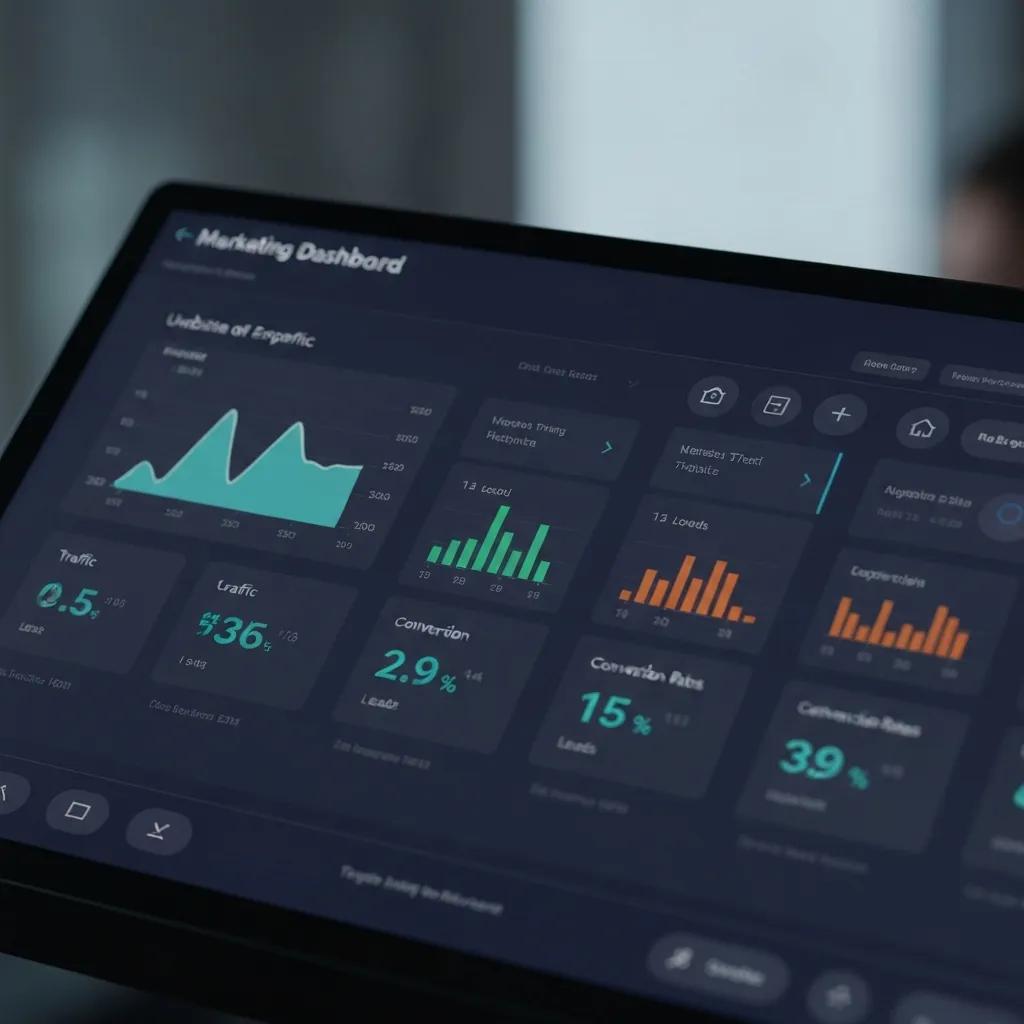
Keep your dashboard focused: prioritize the KPIs that actually move the business—traffic, leads, conversion efficiency, cost, and revenue metrics that guide channel and budget decisions. Use a mix of leading indicators (sessions, users, leads) and lagging indicators (CAC, LTV, revenue) and give each metric a clear formula and data source so insights are repeatable. Limit the primary set to 3–7 KPIs to reduce noise and keep the dashboard action-oriented rather than exhaustive. Below is a compact reference table listing core KPIs, what they mean, and where to pull the data.
Intro: This table clarifies which KPIs to include, what each measures, and the typical data sources so you can prioritize metrics that align with growth goals.
| KPI | What it measures | How to calculate / Data source |
|---|---|---|
| Sessions / Users | Website traffic volume and reach | Google Analytics / GA4 sessions and user counts |
| Leads (form fills / calls) | Inbound contact volume | CRM + call tracking; count of new lead records |
| Conversion Rate | Efficiency of turning visitors into leads | Leads / Sessions (GA4 + CRM mapping) |
| Cost Per Lead (CPL) | Paid efficiency by channel | Ad spend / Leads (ad platform + CRM) |
| Customer Acquisition Cost (CAC) | Total marketing cost to acquire a customer | Total marketing spend / new customers (CRM pipeline) |
| Lifetime Value (LTV) | Estimated revenue per customer over time | Average job value × repeat rate (CRM estimates) |
| Return on Ad Spend (ROAS) | Revenue generated per dollar of ad spend | Attributed revenue / ad spend (ad platform + CRM attribution) |
This KPI reference is a practical measurement map so you can standardize definitions and avoid common mismatches that create confusion.
What Are Essential KPIs for Home Renovation and Remodeling Businesses?
Remodelers should track KPIs that reflect lead quality, project value, and local discovery performance so marketing lines up with sales outcomes. Niche metrics to watch include lead-to-job conversion rate, average job value per lead, pipeline value, and local GBP signals like direction requests or calls. These help you focus on leads likely to convert to higher-value projects instead of pure volume, and they support forecasting for materials and crew planning. Track both marketing-level metrics (CPL, local search traffic) and sales outcomes (quote-to-close rate, average contract value) to connect marketing activity to crew utilization and cash flow.
How Do You Choose the Right KPIs for Your Marketing Goals?
Pick KPIs by mapping each business goal to a short list of actionable indicators: awareness goals need sessions and local search impressions; lead-generation goals need leads, CPL, and conversion rate. Use this rule: if revenue growth is the priority, emphasize pipeline value, conversion rate, and CAC; if awareness is the goal, prioritize sessions, GBP views, and impressions. Keep to 3–7 primary KPIs and set realistic targets plus a review cadence so teams can act quickly. Revisit KPI selection after each campaign cycle—retire metrics that don’t drive decisions and surface new leading indicators as your data improves.
How Do You Build a Marketing Performance Dashboard Step-by-Step?

Build a dashboard in a clear sequence: define business goals, pick KPIs, inventory data sources, choose tools, design visuals, and test with real data before rolling out. Each step reduces uncertainty—goals determine KPIs, KPIs determine data needs, and data determines visual design—creating a repeatable path from strategy to operations. For small businesses, aim for quick wins: start with a one-page dashboard that answers your top question (for example, “Are leads and pipeline increasing?”) and iterate from there. The numbered steps below give a practical implementation path you can follow.
- Define goals and the primary questions you need answered: revenue, lead volume, or lead quality.
- Select 3–7 KPIs that map directly to those goals and document exact definitions and formulas.
- Inventory existing data sources and prioritize integrations by impact and ease of setup.
- Choose a dashboard tool that supports those integrations and offers templates or widgets for fast setup.
- Design the layout: top-line summary KPIs, a funnel visualization, source breakdown, and recent lead details.
- Test with a 30-day dataset, validate calculations against CRM records, and refine visuals and filters.
These steps give you a practical roadmap to build a minimum viable dashboard quickly and improve it each review cycle.
Intro to table: To make integration choices easier, the table below compares common data sources, their type, integration complexity, and recommended sync frequency.
| Data Source | Type | Integration notes / Recommended sync |
|---|---|---|
| Google Analytics / GA4 | Website analytics | Native connectors to Looker Studio; daily or hourly sync |
| Google Looker Studio | Visualization / BI | Connects to GA4, ad platforms, and spreadsheets for dashboards |
| CRM (e.g., HubSpot, Zoho) | Lead & sales data | Map lead stage fields; sync via native API or middleware; hourly/daily |
| Ad platforms (Google Ads, Meta) | Paid performance | Use API connectors to pull spend and conversion metrics; hourly sync |
| Call tracking | Call source attribution | Requires call-to-CRM mapping and call recording integration; daily sync |
Summary paragraph: Prioritize integrations that feed your core KPIs to reduce setup time and ensure reliable metrics. Start with GA4 and your CRM as the foundation, then layer in ad platforms and call tracking. Enforce consistent UTM tagging and CRM lead-status mapping to avoid attribution mismatches. With a clean data base, dashboard visuals will accurately reflect campaign performance and support confident decisions.
When you implement these steps, note that Emulous Media’s 6-Week Program includes templates, coaching, and hands-on implementation support for the stages above—defining goals, identifying data sources, selecting tools, and designing dashboards. The program focuses on teaching in-house teams to maintain dashboards so businesses keep ownership of marketing analytics rather than outsourcing forever. That blend of templates and coaching helps small businesses move from pilot to predictable reporting while building internal capability.
What Data Sources Should You Integrate for Accurate Marketing Analytics?
Accurate analytics require integrating website analytics, CRM records, ad platform metrics, local business profile signals, and call tracking so you can capture the full lead journey from impression to booked job. GA4 provides behavior and traffic context, the CRM stores lead status and close outcomes, and ad platforms show spend and campaign-level performance—together they enable CPL and CAC calculations. Prioritize integrations that close the measurement loop: CRM-to-ad platform attribution and offline conversion imports are especially valuable for tracking which campaigns actually led to contracts. Use consistent UTM tagging, map CRM lead stages to funnel metrics, and run regular data-quality audits to avoid drift.
The integration of intelligent sales and marketing platforms, powered by AI and robust data integration, is increasingly important for businesses that need near-real-time insights and a competitive edge.
Intelligent Sales & Marketing Platforms: AI, Data Integration for Real-Time Insights
This paper reviews the principles behind integrating enterprise architecture with AI-driven sales and marketing solutions to deliver unified platforms that enable real-time insights. It outlines how advanced data integration and AI methods can improve customer understanding, operational agility, and strategic alignment within organizations working in a data-driven market.
Architecting Intelligent Sales and Marketing Platforms: The Role of Enterprise Data Integration and AI for Enhanced Customer Insights, 2023
Which Tools and Software Are Best for Small Business Dashboard Setup?
Small businesses should balance free options against paid BI tools by looking at integration capability, refresh rate, and template availability to match budget and technical skill. Google Looker Studio is a strong free starter that connects to GA4 and common ad platforms and supports templated views. CRMs like HubSpot and Zoho combine marketing, lead records, and built-in dashboards for teams wanting an all-in-one solution. Paid BI tools (Klipfolio, DashThis) offer polished templates and multi-source connectors if you need more automation. Choose tools based on required refresh frequency, your team’s ability to maintain connectors, and the need for custom visualizations.
How Can You Use Marketing Dashboards to Measure and Improve Lead Generation?
Dashboards let you trace leads back to channels, visualize funnel drop-off, and prioritize follow-up so lead quality and conversion improve over time. Segment leads by source, campaign, and geography to see which channels deliver actionable leads versus low-value inquiries. Show funnel stages—MQL, SQL, proposal, closed—to reveal where follow-up breaks down and where to invest in sales enablement or campaign changes. Surface lead scores in the dashboard so sales teams know which leads to prioritize and marketing can tighten targeting to attract higher-quality prospects.
What Metrics Track Lead Sources and Funnel Stages Effectively?
Track source-level CPL, lead qualification rate, lead-to-proposal rate, time-to-conversion, and lead response velocity to measure how quickly leads are contacted. Combine UTMs with call tracking so phone leads map back to the originating campaign, and surface lead-scoring fields from the CRM in dashboard views to separate high-value prospects. Monitor time-based metrics like median days from first contact to proposal to optimize nurturing cadences. Placing these metrics front-and-center makes your dashboard a shared operational tool for marketing and sales.
How Do You Design Dashboards That Visualize Lead Quality and Conversion Rates?
Design dashboards with a clear hierarchy: headline KPIs, a conversion funnel, and a source breakdown with date, campaign, and geography filters to expose lead-quality differences. A common layout places headline metrics (leads, CPL, conversion rate) on the first row, a funnel visualization on the second, and source-level performance plus recent leads on the third for quick follow-up. Add segmentation widgets—service type, estimated project value, lead score—so teams can quickly isolate high-value opportunities. Annotations and change logs are essential so reviewers understand why a trend shifted, supporting disciplined testing and optimization.
How Do You Measure Marketing ROI Using Performance Dashboards?
Measure marketing ROI by linking spend to revenue with clear attribution rules, then calculating return metrics like ROAS and ROI that reflect your sales cycle and business model. A dashboard can calculate attributed revenue from the CRM and divide it by channel spend to produce ROAS; ROI subtracts spend from revenue to show net return. Choose an attribution model that fits your process—last-click is simple, multi-touch is fuller but needs more data. The table below compares common attribution models and their tradeoffs to help you decide.
Intro: The following table compares attribution models, ideal use cases, and tradeoffs so you can pick an approach that fits your small-business constraints.
| Attribution Model | Best for | Pros & Cons |
|---|---|---|
| Last-click | Simple campaigns with short sales cycles | Pros: Easy to implement; Cons: Overweights final touch |
| First-click | Brand awareness emphasis | Pros: Rewards discovery channels; Cons: Ignores later influence |
| Linear (multi-touch) | Balanced channel contribution | Pros: Fair credit distribution; Cons: Requires more data |
| Time-decay | Longer sales cycles with recent influence | Pros: Emphasizes recent touches; Cons: Arbitrary decay parameters |
| Data-driven | When you have sufficient conversion data | Pros: Most accurate; Cons: Needs scale and technical setup |
Summary: Start with last-click or linear attribution depending on your complexity, and move toward data-driven models as volume and CRM quality improve. Use the dashboard to compare model outputs and watch for large variances—those signal attribution sensitivity. Document your chosen model and apply it consistently so comparisons stay meaningful over time.
What Are the Best Attribution Models for Small Business Marketing?
Small businesses with limited data should begin with last-click attribution for simplicity, then test linear or time-decay models as data accumulates and CRM tracking improves. Last-click is straightforward—conversions attach to the final touchpoint—making it easy to get quick ROAS estimates. Linear attribution splits credit across touches and better reflects multi-channel effort. Data-driven models are the most accurate but usually need volume and clean CRM-to-ad imports. Choose a model that balances accuracy with operational complexity and reassess after each campaign cycle.
The Unisys Marketing Dashboard is a case study in designing and implementing a comprehensive marketing measurement system.
Unisys Marketing Dashboard: Designing a Robust Marketing Measurement System
This article documents Unisys’s approach to designing, developing, and implementing a comprehensive marketing measurement system—the Unisys Marketing Dashboard—and lessons learned about measuring marketing effectiveness.
How Can Dashboards Help Calculate Marketing Spend Versus Revenue?
Dashboards calculate spend versus revenue by combining ad-platform spend with CRM-attributed revenue and applying conversion and close-rate assumptions to estimate pipeline value. A common formula uses sourced leads × lead-to-job conversion rate × average job value to estimate marketing-attributed revenue, then divides that by ad spend to produce ROAS and ROI. Visual widgets should display raw numbers plus sensitivity ranges based on different conversion assumptions so decision-makers see the risk. Regularly validating estimated revenue against closed sales reduces drift and improves accuracy.
What Are Real-World Examples of Marketing Performance Dashboards in Home Remodeling?
Real dashboards for remodeling firms combine local search metrics, lead-quality indicators, and pipeline valuations to produce actionable reports that inform hiring, bidding, and scheduling decisions. Typical dashboards include a local discovery panel (GBP calls, direction requests), a paid-performance panel (CPL by campaign), and a pipeline panel (estimated project value by stage). These views help owners decide whether additional ad spend will deliver enough high-value leads to justify new hires or scaling crews. Below are short case teasers showing measurable improvements driven by dashboard insights.
Intro: The case teasers below highlight typical before-and-after KPI changes when a remodeler uses a performance dashboard to optimize campaigns.
- Local SEO + Call Tracking: A remodeler unified GBP metrics and call tracking in a dashboard and cut CPL by 18% after reallocating budget to better keywords.
- Paid Search Optimization: A company used a dashboard to identify low-quality paid leads and paused underperforming ad sets, improving lead-to-job conversion by 22%.
- Pipeline Focus: A contractor visualized pipeline value by source and shifted spend to higher-value channels, increasing estimated monthly pipeline by 35%.
Summary: These examples show dashboards not only reveal problems but guide concrete actions—budget shifts, targeting updates, and follow-up improvements—that produce measurable gains. For remodelers aiming for similar results, a focused pilot that ties source attribution to pipeline usually proves impact within a few months.
How Have Small Businesses Improved Marketing Results with Custom Dashboards?
Small businesses improve results when dashboards reveal underperforming channels and highlight high-value lead sources, enabling precise budget shifts and follow-up changes that raise conversion rates and pipeline value. For example, a company that discovered a low-converting ad set moved budget to local search and received fewer but higher-quality leads, which increased lead-to-job rates and made weekly bookings more predictable. Dashboards also speed anomaly detection—if CPL doubles, teams can pause or tweak creative the same day. These operational changes cut wasted spend and raise overall marketing efficiency.
What Lessons Can You Learn from Remodeling Business Dashboard Case Studies?
Key lessons: start simple, prioritize lead quality over raw volume, and iterate dashboards as data quality improves so attribution gets better. Practical steps include auditing UTM tagging, mapping CRM lead stages to funnel metrics, and running short A/B tests to validate assumptions before scaling. Maintain regular review cadences—weekly for tactical fixes, monthly for strategic planning—so the dashboard drives decisions instead of just reporting them. Finally, run a small pilot to prove impact before rolling out governance company-wide.
For remodelers wanting deeper support, consider booking an appointment to review pilot dashboard designs or to see full case studies and learn how a structured 6-Week Program can speed implementation. Emulous Media Inc.’s teach-and-transfer approach equips teams with templates and coaching so businesses build and maintain dashboards internally, keeping control while improving performance with expert guidance.
Frequently Asked Questions
What are the common mistakes to avoid when creating a marketing performance dashboard?
Common mistakes include stuffing the dashboard with too many KPIs—making it confusing and unusable. Stick to 3–7 metrics that align with your goals. Neglecting data quality is another big error; bad or inconsistent data leads to bad decisions. Failing to review and update the dashboard regularly will leave you with stale insights. Finally, not involving users in the design process can kill adoption—get feedback from marketing and sales early so the dashboard becomes a working tool, not just a report.
How often should I review my marketing performance dashboard?
Review cadence depends on your needs: weekly reviews are ideal for tactical adjustments and catching anomalies, while monthly reviews are better for strategic assessment and trend analysis. Weekly checks let you catch issues fast; monthly reviews give a clearer picture of performance and whether tactics need to change. Use that mix to stay agile without overreacting to short-term noise.
Can I customize my marketing dashboard for different team members?
Yes—tailored views are highly valuable. Sales teams usually want conversion and pipeline metrics, while marketing teams focus on traffic and engagement. Most dashboard tools let you create role-based views or filters so each person sees the data that matters to them. That customization boosts usability and encourages regular use.
What tools can help automate data integration for my dashboard?
Several tools simplify data integration. Google Looker Studio is a strong, low-cost starter that connects to many sources. Zapier and Make (formerly Integromat) automate workflows between apps, and dedicated ETL/connector services can handle more complex syncing. Many CRMs—HubSpot, Zoho—have built-in integrations that make syncing easier. Choose tools that match your team’s technical ability and the refresh cadence you need.
How can I ensure my dashboard remains relevant as my business grows?
Keep the dashboard aligned with evolving goals: revisit KPIs regularly, update targets, and add or remove metrics as your strategy changes. Solicit feedback from dashboard users and run periodic audits of data sources and tags. As tools and data sources change, update integrations so the dashboard continues to drive decisions rather than just reflect them.
What role does user training play in the success of a marketing dashboard?
User training is essential. Training helps team members understand how to read the dashboard, interpret metrics, and act on insights. Without it, dashboards often go unused or are misread. Provide initial onboarding, written guides, and periodic refresh sessions to keep everyone confident and aligned on how to use the tool to make better decisions.