
Custom Workflow Automation In Lake Mary
Turn your complex, manual processes into seamless, error-free automated workflows.
Marketing Services
- Generative Engine Optimization (GEO)
- 24/7 AI Customer Support Agents
- AI Voice Receptionists
- Automated Lead Qualification
- AI Appointment Setting
- Internal Knowledge Base Bots
- Intelligent CRM Automation
- Automated Outreach Campaigns
- Social Media DM Automation
- Generative Content Engines
- Custom Workflow Automation (Make/Zapier)
- Large Language Models
- AI Driven Customer Insights
- Consultation and Strategy
689-255-6327
Request a Consultation
Custom Workflow Automation in Lake Mary: Eliminate Repetitive Tasks Wasting Your Time
Stop losing hours to manual data entry and disjointed software. We build intelligent, custom workflows that connect your favorite apps, eliminate human error, and automate your most tedious processes from start to finish.
Your team wastes hours on manual tasks that should run automatically. They copy data between systems, send routine emails, create standard reports, and perform repetitive processes that computers should handle. You need custom workflow automation that eliminates manual work, connects your business systems, and frees your team to focus on work requiring human judgment.
Emulous Media delivers custom workflow automation services for Lake Mary businesses. We analyze your repetitive processes, design intelligent automation, connect your business tools, and build custom workflows that handle routine tasks automatically, reducing manual work by 60-80% while improving accuracy and consistency.
Ready to automate repetitive work and free your team’s time? Call Emulous Media at 689-255-6327 to discuss your Lake Mary custom workflow automation needs.
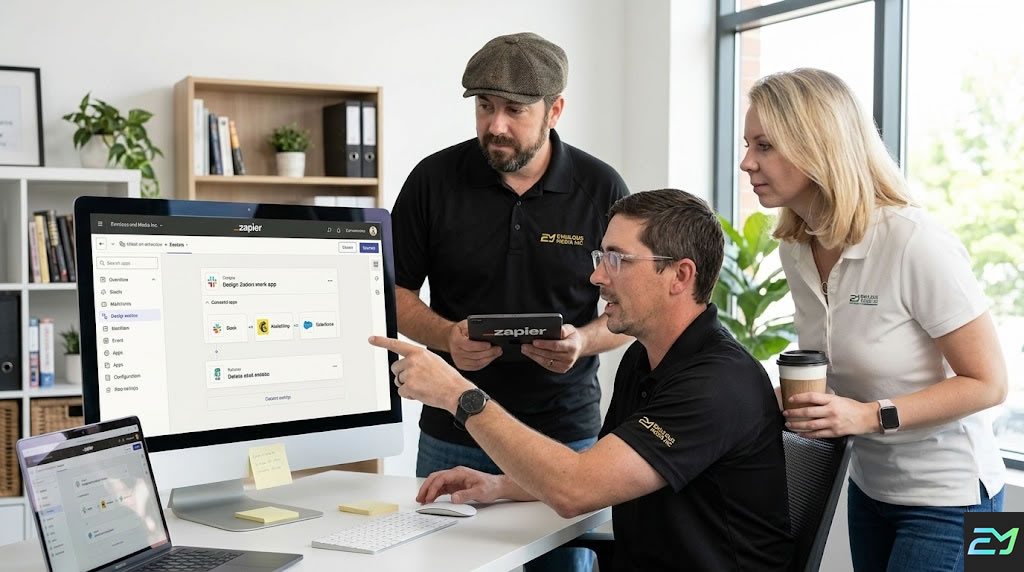
Our strategic workflow support ensures your automated systems run flawlessly, delivering a consistent and reliable flow of data across your connected applications without the headache of manual maintenance.
Your employees perform the same tasks repeatedly. They copy data manually. They send template emails. They create routine reports. They follow multi-step processes that never vary. Every repetitive task wastes time that should focus on strategic work. Automation handles these tasks instantly and perfectly every time.
The business impact is measurable:
- Workflow automation reduces manual task time 70%
- Employee productivity increases 40% when freed from repetitive work
- Human error in routine processes decreases 95%
- Task completion time improves from hours to minutes
- Businesses using automation process 10x more volume with same staff
- Customer response times improve 85% with automated workflows
- Operational costs decrease 30-50% through automation
Your Lake Mary competitors automate workflows. Their teams focus on strategic work. Their operations scale without proportional headcount increases. Their accuracy is perfect for routine tasks.
You compete with the same resources. Your operational efficiency needs to match theirs.
Different business processes require different automation approaches:
Data Transfer and Synchronization
Moving information between systems:
- CRM to email marketing synchronization
- E-commerce to accounting integration
- Form submissions to CRM creation
- Spreadsheet to database updates
- Multi-system data synchronization
- Scheduled data imports and exports
- Real-time data replication
Data automation eliminates manual entry and errors.
Document and File Automation
Handling documents automatically:
- Contract generation from templates
- Invoice creation and sending
- Report generation and distribution
- Document approval workflows
- File organization and naming
- PDF creation from data
- Document archival and retention
Document automation streamlines paperwork.
Communication Automation
Managing routine messages:
- Welcome email sequences
- Notification triggers
- Status update messages
- Reminder sending
- Follow-up automation
- Internal team notifications
- Customer communication workflows
Communication automation ensures timely consistent messaging.
Approval and Review Workflows
Streamlining decision processes:
- Purchase approval routing
- Expense report reviews
- Content approval workflows
- Time-off request handling
- Contract approval chains
- Quality review processes
- Multi-stakeholder sign-offs
Approval automation speeds decisions while maintaining oversight.
Customer Onboarding Automation
Streamlining new customer setup:
- Account creation workflows
- Welcome sequence delivery
- Setup task assignment
- Documentation collection
- Training scheduling
- Success milestone tracking
- Handoff orchestration
Onboarding automation ensures consistent excellent starts.
Order Processing Automation
Handling transaction workflows:
- Order confirmation sending
- Inventory updates
- Payment processing
- Shipping notifications
- Tracking number delivery
- Customer service alerting
- Financial record creation
Order automation reduces fulfillment time and errors.
Reporting and Analytics Automation
Generating insights automatically:
- Scheduled report creation
- Data aggregation from multiple sources
- Dashboard updates
- Performance alerts
- KPI tracking
- Trend identification
- Stakeholder distribution
Reporting automation provides timely insights without manual work.
HR and Employee Workflows
Automating people processes:
- New hire onboarding
- Time-off request handling
- Performance review scheduling
- Training assignment
- Benefits enrollment
- Offboarding procedures
- Employee data management
HR automation standardizes employee experiences.
Every automation project follows comprehensive methodology:
Step 1: Process Discovery and Analysis
We understand your workflows:
- Documenting current processes
- Identifying repetitive tasks
- Mapping data flows
- Understanding pain points
- Measuring time spent
- Identifying automation opportunities
- Prioritizing by impact
Discovery reveals what to automate first.
Step 2: Workflow Design
We plan automated processes:
- Designing optimized workflows
- Establishing trigger conditions
- Planning decision logic
- Creating exception handling
- Defining success criteria
- Mapping system interactions
- Documenting approval paths
Thoughtful design ensures useful automation.
Step 3: Tool Selection
We choose appropriate platforms:
- Evaluating automation tools
- Assessing integration capabilities
- Considering scalability
- Reviewing costs
- Checking technical requirements
- Recommending best fit
- Planning custom development when needed
Right tools enable effective automation.
Step 4: Development and Configuration
We build automated workflows:
- Configuring automation platforms
- Developing custom integrations
- Creating business logic
- Building approval flows
- Implementing error handling
- Setting up notifications
- Programming complex workflows
Technical development executes automation strategy.
Step 5: Testing and Validation
We verify workflows work:
- Testing happy path scenarios
- Checking edge cases
- Verifying error handling
- Testing integrations
- Validating business logic
- Checking performance
- User acceptance testing
Thorough testing prevents automation failures.
Step 6: Deployment and Training
We launch and enable:
- Deploying workflows to production
- Training affected staff
- Documenting processes
- Creating quick references
- Establishing monitoring
- Providing support resources
Proper deployment ensures adoption and success.
Step 7: Monitoring and Support
We track performance:
- Monitoring workflow execution
- Tracking completion rates
- Identifying failures
- Resolving issues quickly
- Measuring time savings
- Gathering feedback
Ongoing monitoring maintains reliability.
Step 8: Optimization and Expansion
We improve and scale:
- Analyzing performance data
- Identifying enhancement opportunities
- Refining workflows
- Expanding automation scope
- Adding new workflows
- Continuous improvement
Optimization compounds automation value.
Advanced platforms for business automation:
Zapier: Popular no-code automation connecting 5,000+ apps.
Make (Integromat): Visual automation platform for complex workflows.
n8n: Self-hosted automation for data privacy needs.
Microsoft Power Automate: Enterprise automation integrated with Microsoft stack.
Workato: Enterprise automation and integration platform.
Custom Development: Python, Node.js, or other languages for unique requirements.
API Integration: Direct connections between business systems.
RPA Tools: UiPath, Automation Anywhere for legacy system automation.
Technology choice depends on complexity, integrations, and requirements.
Lake Mary businesses benefit from local automation expertise:
- Understanding of your business and processes
- On-site process observation and mapping
- Face-to-face design and planning sessions
- Quick support when workflows need adjusting
- Training your team in person
- Partnership for ongoing automation expansion
Workflow automation requires deep process understanding benefiting from local partnership.
Stop wasting employee time on repetitive tasks computers should handle. Contact Emulous Media today at 689-255-6327 for professional custom workflow automation in Lake Mary.
Our workflow automation experience covers multiple sectors:
Professional Services: Law firms, consultants, accountants automating client intake, billing, and project workflows.
Healthcare: Medical practices automating patient scheduling, insurance verification, and administrative workflows.
Real Estate: Agents and brokers automating lead follow-up, transaction management, and client communication.
E-Commerce: Online stores automating order processing, inventory management, and customer service.
Manufacturing: Industrial companies automating production scheduling, quality control, and supply chain workflows.
Financial Services: Advisors and firms automating compliance, client onboarding, and reporting workflows.
Technology: Software companies automating development, deployment, and support workflows.
Each industry has specific processes and compliance requirements.
Standard workflow automation timelines:
- Simple workflow: 1-2 weeks
- Standard automation project: 3-5 weeks
- Complex multi-workflow system: 6-10 weeks
- Enterprise automation platform: 10-20 weeks
- Custom development: 12-30 weeks
Timeline includes discovery, design, development, testing, and deployment.
The difference between amateur and professional automation:
Process Optimization: Professionals redesign workflows before automating. Amateurs automate broken processes.
Error Handling: Professionals plan for failures and exceptions. Amateur automation breaks on edge cases.
Scalability: Professionals build for growth. Amateur workflows break under volume.
Documentation: Professionals document thoroughly. Amateurs leave no guidance.
Testing Rigor: Professionals test extensively. Amateurs deploy untested workflows.
Maintenance Planning: Professionals plan ongoing support. Amateur workflows break when systems change.
Integration Depth: Professionals connect systems properly. Amateurs use workarounds.
User Training: Professionals enable teams. Amateurs deploy without training.
Creating reliable effective workflows:
Start Small: Automate simple high-impact workflows first.
Document Everything: Clear documentation for maintenance and troubleshooting.
Error Notifications: Alerts when workflows fail.
Fallback Plans: Manual processes when automation fails.
Version Control: Tracking workflow changes.
Testing Before Production: Preventing broken automation from affecting operations.
User Feedback: Incorporating team input for improvements.
Regular Review: Evaluating and optimizing quarterly.
Best practices ensure sustainable automation.
Connecting business systems:
CRM Systems: Salesforce, HubSpot, Zoho, Pipedrive.
Email Marketing: Mailchimp, Constant Contact, ActiveCampaign.
E-Commerce: Shopify, WooCommerce, BigCommerce.
Accounting: QuickBooks, Xero, FreshBooks.
Project Management: Asana, Monday.com, Trello, ClickUp.
Communication: Slack, Microsoft Teams, Gmail, Outlook.
Document Management: Google Drive, Dropbox, SharePoint.
Custom Systems: API integration with proprietary software.
We connect virtually any business system with APIs or data access.
Tracking workflow automation impact:
Efficiency Metrics:
- Time saved per workflow
- Tasks completed automatically
- Manual work eliminated
- Processing speed improvement
Quality Metrics:
- Error rate reduction
- Consistency improvement
- Compliance adherence
- Data accuracy
Business Metrics:
- Cost savings
- Productivity increases
- Revenue impact
- Customer satisfaction improvement
- Staff capacity freed
Data proves automation ROI and guides expansion.
Real-world workflow examples:
Lead Management: New lead form submission creates CRM contact, sends to sales rep, adds to email nurture, logs in spreadsheet.
Order Processing: New order triggers inventory update, sends confirmation email, creates shipping label, updates accounting system, notifies fulfillment team.
Invoice Workflow: Time tracking triggers invoice creation, sends for approval, emails to client, records in accounting, schedules payment reminder.
Employee Onboarding: New hire triggers equipment order, creates accounts, schedules orientation, assigns training, notifies manager.
Customer Support: Support ticket creates task, routes to appropriate team, logs in CRM, sends confirmation, escalates if overdue.
Social Media: Blog post publication triggers social post creation, schedules across platforms, notifies team, tracks engagement.
These represent just fraction of automation possibilities.
Protecting data in automated workflows:
Access Control: Limiting workflow permissions appropriately.
Data Encryption: Protecting information in transit and storage.
Audit Logging: Tracking all automated actions.
Compliance: Meeting HIPAA, SOC 2, GDPR requirements.
Credential Management: Secure API key and password storage.
Error Handling: Preventing data exposure through failures.
Regular Reviews: Auditing workflows for security issues.
Security protects business and customer data.
Growing automation programs:
Quick Wins First: Starting with high-impact simple automations.
Building Momentum: Success breeding organizational buy-in.
Expanding Gradually: Adding workflows systematically.
Documenting Standards: Creating automation guidelines.
Training Champions: Enabling internal automation advocates.
Governance: Managing automation at scale.
Center of Excellence: Centralizing automation expertise.
Strategic scaling maximizes long-term value.
A Lake Mary professional service firm automated client onboarding. Intake time decreased from 3 days to 4 hours. Data entry errors eliminated. Staff capacity increased 40%. Client satisfaction scores improved.
A healthcare practice automated appointment workflows. Confirmation sending became automatic. Reminder sequences reduced no-shows 45%. Insurance verification happened automatically. Front desk time freed for patient care.
An e-commerce business automated order processing. Order-to-shipment time dropped from 24 hours to 2 hours. Inventory accuracy improved 98%. Customer service inquiries decreased 60%. Revenue capacity increased without additional staff.
A real estate agency automated transaction management. Document collection and approval accelerated. Communication became consistent. Deal cycle time shortened 28%. Agent productivity increased 55%.
Your success story comes next.
Your team wastes hours daily on tasks automation should handle. Contact Emulous Media now at 689-255-6327 for professional custom workflow automation in Lake Mary.
Your employees waste hours on repetitive tasks. They copy data manually between systems. They send the same emails repeatedly. They create identical reports weekly. They follow multi-step processes that never change.
Every hour spent on routine tasks is an hour not spent on strategic work requiring human judgment. Every manual data entry creates error risk. Every inconsistent process hurts quality.
Custom workflow automation eliminates this waste. Your routine tasks run automatically. Your data synchronizes between systems. Your communications send on schedule. Your team focuses on work requiring creativity and decision-making.
Emulous Media makes workflow automation accessible to Lake Mary businesses. We analyze your processes. We design intelligent automation. We connect your systems. You get reliable workflows running 24/7 without human intervention.
Contact us today. We'll audit your repetitive processes. We'll identify automation opportunities. We'll provide detailed proposal with time-saving projections.
Your automation deploys in weeks. Your productivity improves immediately. Your business benefits from efficient operations freeing your team from routine work while improving accuracy and consistency.
Schedule your consultation now. Let's implement custom workflow automation that eliminates repetitive tasks wasting your Lake Mary team's time and allows them to focus on work that drives your business forward.
Call 689-255-6327. Your custom workflow automation project starts today.
Choose a Custom Workflow Automation Package
Predictable Automation Pricing. No Surprises
The Fine Print (Reimagined)
Platform Fees: Third-party costs (Zapier, Make, etc.) are billed directly to the client based on usage.
Support: Ongoing maintenance ensures your automations don’t break when third-party APIs update.
ROI focus: Most clients see a full return on investment through time savings and error reduction within 3–12 months.
$2500
One-Time Setup
- $200 Monthly Maint.
- Strategy: Single-Process Analysis
- 1 Simple Workflow (1:1)
- Discovery & Planning
- Initial Setup & Testing
- 30 Days Monitoring
- Basic Monthly Reporting
$5500
One-Time Setup
- $500 Monthly Maint.
- Strategy: Cross-Tool Integration
- 3-5 Multi-Step Workflows
- Process Mapping & Strategy
- Conditional Logic Paths
- Priority Technical Support
$12000
One-Time Setup
- $800 Monthly Maint.
- Strategy: Complete Ecosystem Audit
- Complex Conditional Logic
- High-Volume Scalability
- Advanced Error Handling
- Full System Documentation
$35000
One-Time Setup
- Custom Support Plan
- Strategy: Org-Wide Transformation
- Custom Software Development
- API & Legacy Integration
- Dedicated Project Manager
- Staff Training & Handover
Frequently Asked Questions About Custom Workflow Automation
Most Popular Workflow Automation Questions
Custom workflow automation is the process of using software to connect your business tools and handle repetitive tasks automatically. Instead of employees manually copying data between systems or sending routine emails, "triggers" are set up to execute these actions instantly. In Lake Mary, businesses use these systems to reduce manual work by 60-80%, allowing teams to focus on high-value strategy rather than data entry.
Automation eliminates "hidden" time-wasters. For example, when a new lead fills out a form on your website, a workflow can automatically create a CRM contact, alert a sales rep via Slack, and start an email welcome sequence simultaneously. This reduces task completion time from hours to minutes and allows your staff to process up to 10x more volume without increasing your headcount.
Most businesses start by automating high-frequency, low-judgment tasks, such as:
Data Synchronization: Moving info between your CRM, accounting software (like QuickBooks), and spreadsheets.
Document Generation: Automatically creating invoices or contracts from templates.
Communication: Sending appointment reminders or internal team notifications.
Customer Onboarding: Triggering welcome kits and account setups once a deal is marked "Closed-Won."
We select the best platform based on your specific technical needs and budget. Common tools include Zapier (for connecting 5,000+ apps), Make (for complex visual logic), and Microsoft Power Automate (for businesses deep in the Microsoft stack). For unique requirements, we also provide custom API integrations using Python or Node.js to connect proprietary systems.
Initial automation strategy and development typically range from $1,500 to $10,000+, depending on the complexity of the logic and the number of systems involved. While there is an upfront cost, most Lake Mary businesses see a return on investment (ROI) within 3 to 12 months due to significant reductions in labor costs and the virtual elimination of human error.
No. The goal of workflow automation is to augment your team, not replace them. By automating the "boring" parts of their jobs—like manual data entry—you free up your employees to focus on work that requires human judgment, creativity, and relationship-building. This typically leads to a 40% increase in productivity and higher employee satisfaction.
A simple, single-trigger workflow can be deployed in 1–2 weeks. More comprehensive automation projects that connect multiple departments usually take 3–5 weeks. For enterprise-level systems involving custom coding or complex conditional logic, the timeline can range from 10 to 20 weeks, including thorough testing and team training.
Yes. One of the most impactful automations we implement for Lake Mary clients is the link between sales and finance. We can connect CRMs like Salesforce, HubSpot, or Zoho directly to accounting tools like QuickBooks or Xero. This ensures that as soon as a sale is made, an invoice is generated and the financial records are updated without anyone hitting a single key.
Amateur automation often "breaks" during edge cases or when a system updates. Professional automation includes:
Advanced Error Handling: Notifications that alert you if a step fails.
Process Optimization: We fix broken workflows before automating them.
Security: Ensuring API keys and customer data are encrypted and compliant with standards like HIPAA or SOC 2.
The first step is a Process Discovery and Analysis. Emulous Media will audit your current repetitive tasks to identify which ones are costing you the most time and money. We then prioritize these by impact and build a roadmap for deployment. To begin, you can call 689-255-6327 for a consultation at our Lake Mary office on International Parkway.
Testimonials
Client Feedback & Reviews.
EXCELLENT Based on 19 reviews
 Posted on Google
 Amanda CarlsonAaron and his company are the best. I am Someone who understands nothing about websites etc so of course he made me my site-and was there for me to change and update every step of the way. Always responsive to emails and texts. It was a great experience and I’m So happy to have found him.Posted on Google
 T & B RenovationsAaron and his team are awesome at what they do! We have used them to redo our website and integrate new CRM. They are responsive and handle all requests as needed. Highly recommend!Posted on Google
 Dexter JairamWhen I started working with Aaron's team, they rebuilt my flooring company website and Google marketing. I've been booked out for months in advance!Posted on Google
 ironwerxAaron is a real professional. He does not over promise and underdeliver. He makes sure that his clients understand what it is going to take to succeed when marketing online.He's knowledgeable and trustworthy.Posted on Google
 Medicine Shell PhotographySeriously an amazing company to work with!! Their advanced thinking in the marketing world is a must for businesses looking to grow.Posted on Google
 Luis Gustavo Ortiz RodriguezThis company is very professional I will recommend %100Posted on Google
 Prime Digital SEOAaron and the Emulous team do an amazing job at lead generation and producing quality leads for clients. Highly recommend if you can take on more work!Verified by TrustindexTrustindex verified badge is the Universal Symbol of Trust. Only the greatest companies can get the verified badge who has a review score above 4.5, based on customer reviews over the past 12 months. Read more
Need Custom Workflow Services? Give Us a Call
Whether you need a new digital presence, search engine optimization, a targeted PPC campaign, or a comprehensive marketing roadmap, Emulous Media is your partner in success. Contact us today to elevate your brand.
Workflow Customization in Lake Mary
Located between Lake Mary and Heathrow, Florida, Emulous Media is a premier full-service agency dedicated to transforming businesses through strategic advertising, marketing, and high-impact website design. Our team of experts delivers elite media production and data-driven solutions, helping Central Florida brands dominate their markets and achieve remarkable, long-term growth today.
Our expertise spans five core pillars: Advertising, Marketing, Media Production, Website Design and AI Automation. Whether you need to dominate local search results, launch a national ad campaign, build a custom digital storefront, or automate your workforce with intelligent agents, we provide the enterprise-level capabilities you need with the personal accessibility of a local partner.
We believe that the best partnerships are built on transparency and face-to-face collaboration. We aren't a faceless remote team; we are your neighbors in Central Florida, ready to help you outpace the competition. Our local presence ensures personalized service and strategic excellence as we work together to grow your brand.
Based in Lake Mary, our team is mobile. We bring elite media production directly to your doorstep. We serve the entire Central Florida region, arriving fully equipped with high-end technology and strategic expertise to capture your brand’s story on-site, ensuring a seamless, professional experience that fits perfectly within your busy schedule.