How to Build a Content Calendar That Actually Generates Leads for Small Businesses
A content calendar is a practical schedule that ties topics, formats, channels, publish dates, and calls-to-action to clear marketing outcomes. When you match content to customer intent and business goals, a calendar makes discovery predictable, cuts down on last‑minute scrambling, and builds a steady stream of touchpoints that move prospects toward booked appointments. This guide walks small business owners through a simple, repeatable content planning system designed to grow measurable lead generation — from foundational benefits and a step‑by‑step build, to tool comparisons, remodeler-specific tactics, measurement frameworks, and advanced ideas like AI and evergreen repurposing. You’ll learn how to pick pillars, map CTAs to funnel stages, choose tools that fit tiny teams, and set KPIs that link content work to booked appointments. Practical templates for Google Sheets, Notion, and Trello are included so you can start implementing and improve with data.
Emulous Media Inc. works with small businesses to train owners and teams on systems that make marketing predictable and measurable — for example, the Take Back Your Marketing 6‑Week Program. If you prefer guided, hands‑on help to put this calendar framework into practice, consider booking a strategy session to align priorities and measurement; the mention here is a practical next step, not a hard sell.
What a Content Calendar Is — and Why Small Businesses Can’t Ignore One
A content calendar is a single source of truth: it schedules topics, formats, channels, owners, and CTAs so your content serves audience intent and business timing. The payoff is straightforward — planned content improves topical relevance and consistency, which helps search visibility and keeps prospects moving through the buying journey. For small businesses, a calendar saves time, prevents duplicate effort, and creates a repeatable process that turns marketing activity into measurable lead‑generation results. Below are three core reasons a calendar should be a priority if you need predictable appointment volume.
Here are three practical advantages content calendars deliver for SMBs:
- Consistency and cadence: A regular publishing rhythm builds trust and helps search engines recognize your topical authority.
- Time and cost efficiency: Planning cuts last‑minute work and makes reuse and repurposing possible.
- Conversion alignment: Mapping CTAs to funnel stages increases appointment bookings and improves lead quality.
Together, these benefits make a calendar central to marketing ops. The next section shows how a calendar drives lead generation and keeps messaging consistent.
How a Content Calendar Boosts Lead Generation and Keeps Messaging Tight
A content calendar improves lead generation by matching content types to buyer‑journey stages so every asset has a clear conversion goal. When you sequence topics and CTAs, blog posts, social clips, and emails form a predictable path from discovery to booking — which lifts conversion rates and speeds lead movement. For example, a remodeler could publish an educational cost guide (top‑of‑funnel), a before/after case study (mid‑funnel), and a financing FAQ that links to a booking page (bottom‑of‑funnel). A steady cadence also strengthens local search signals and repeat social impressions that build recall — and that trust converts into appointment requests over time.
That funnel focus leads into the practical calendar elements you’ll need to make this work.
What to Include in an Effective Content Calendar

An effective calendar includes metadata that turns ideas into clear tasks: topic/pillar, target persona/intent, format, channel, publish date, status, owner, keywords, primary CTA, and KPIs. Each column has a purpose: persona and intent keep content relevant; format and channel define production scope; owner and status create accountability; CTA and KPIs connect work to conversion goals. A sample row could read: “Kitchen remodel cost guide | homeowner-cost-research | blog | website | 2025-12-01 | Draft | Sarah | keywords: kitchen remodel cost [city] | CTA: Request estimate | KPI: form submissions.”
Templates with these columns in Google Sheets or Notion make handoffs and reporting transparent. Next, we’ll walk through a step‑by‑step build process from goals to publishing.
How to Build a Content Calendar — Step by Step for Small Teams
Turn strategic goals into an operational calendar by following a clear sequence. Start with SMART content objectives tied to lead metrics, then map audience segments and pillars, pick channels and cadence, choose a tool and template, assign owners, and set KPIs plus an audit cadence. The steps below form a straightforward workflow small teams can complete in a few focused sessions to create an actionable 90‑day calendar.
Follow these steps to construct your calendar:
- Define SMART content goals linked to lead metrics (for example: 30 booked estimates per month from organic content).
- Choose 2–4 content pillars aligned with buyer intent and common homeowner pain points.
- Pick 2–3 priority channels where your audience spends time and plan formats for each funnel stage.
- Select a tool (Google Sheets, Notion, Trello) and build a template with the required metadata fields.
- Set a realistic cadence, assign owners, and create deadlines for drafts, reviews, and publishing.
- Map CTAs and landing pages to every content piece and set up tracking in your analytics/CRM.
- Run monthly reviews and a quarterly content audit to re‑prioritize pillars and improve iteratively.
These steps work solo, but many teams prefer structured training. Emulous Media’s Take Back Your Marketing 6‑Week Program teaches this exact framework with hands‑on sessions that guide owners through goal setting, pillar definition, calendar templates, and tracking — useful if you want a facilitator to speed adoption.
How to Define Goals and Target Audience for Your Content
Translate business objectives into measurable content goals by linking each goal to a leading indicator (traffic, form submissions, calls) and a conversion target (booked appointments). Start with one primary business outcome — for example, more booked estimates — and work backward to identify the content activities that influence that metric. Set realistic monthly targets based on current traffic. For audience mapping, create short persona outlines for homeowners by intent: research (cost‑conscious), project‑ready (ready to book), and referrals (repeat / upsell). Keep persona notes in the calendar so every item records the intended audience and desired action.
Clear audience and goal definitions make it easier to prioritize topics and select CTAs; we map those to content pillars next.
Which Content Pillars Work Best for Home Renovation and Remodeling?
Content pillars are broad themes that generate consistent ideas and build topical authority. For remodelers, useful pillars include: project case studies, budget and cost guides, how‑to maintenance/DIY, financing and value, neighborhood showcases, and product/material comparisons. Each pillar should produce a mix of formats—long blogs, short social videos, email sequences, and lead magnets—that map to funnel stages and include conversion CTAs like “Request a free estimate.”
The following table shows pillar mapping:
| Content Pillar | Audience / Intent | Example Topics / CTA |
|---|---|---|
| Project Case Studies | Project‑ready homeowners | “Kitchen remodel before/after” → CTA: Book a free estimate |
| Budget & Cost Guidance | Research‑stage buyers | “Average bathroom remodel cost in [city]” → CTA: Download cost checklist |
| How‑to & Maintenance | DIY‑interested homeowners | “Preparing your home for renovation” → CTA: Join our email list for tips |
This mapping helps you prioritize pillar content that directly drives leads; next we’ll cover channel selection aligned to those pillars.
How to Choose Channels and Content Types for Your Calendar
Choose channels where your target personas research and decide: use blogs and Google for research intent, email and retargeting for nurture, and Instagram/Facebook for visual project showcases and social proof. Match content types to funnel stages — long blogs and lead magnets for discovery; case‑study videos and testimonials for consideration; landing pages with booking CTAs for conversion. For local services, prioritize channels that support local SEO (website pages, Google posts, localized social content) and add scheduling links or phone tracking to measure appointment outcomes.
A quick channel decision guide:
- Website blog: long‑form research content that captures search intent and attracts backlinks.
- Social platforms: short videos and project photos for trust and local reach.
- Email: nurture sequences that turn interest into booked appointments.
Next: which tools make building a calendar easiest for small teams.
Which Tools and Templates Work Best for Your Content Calendar?
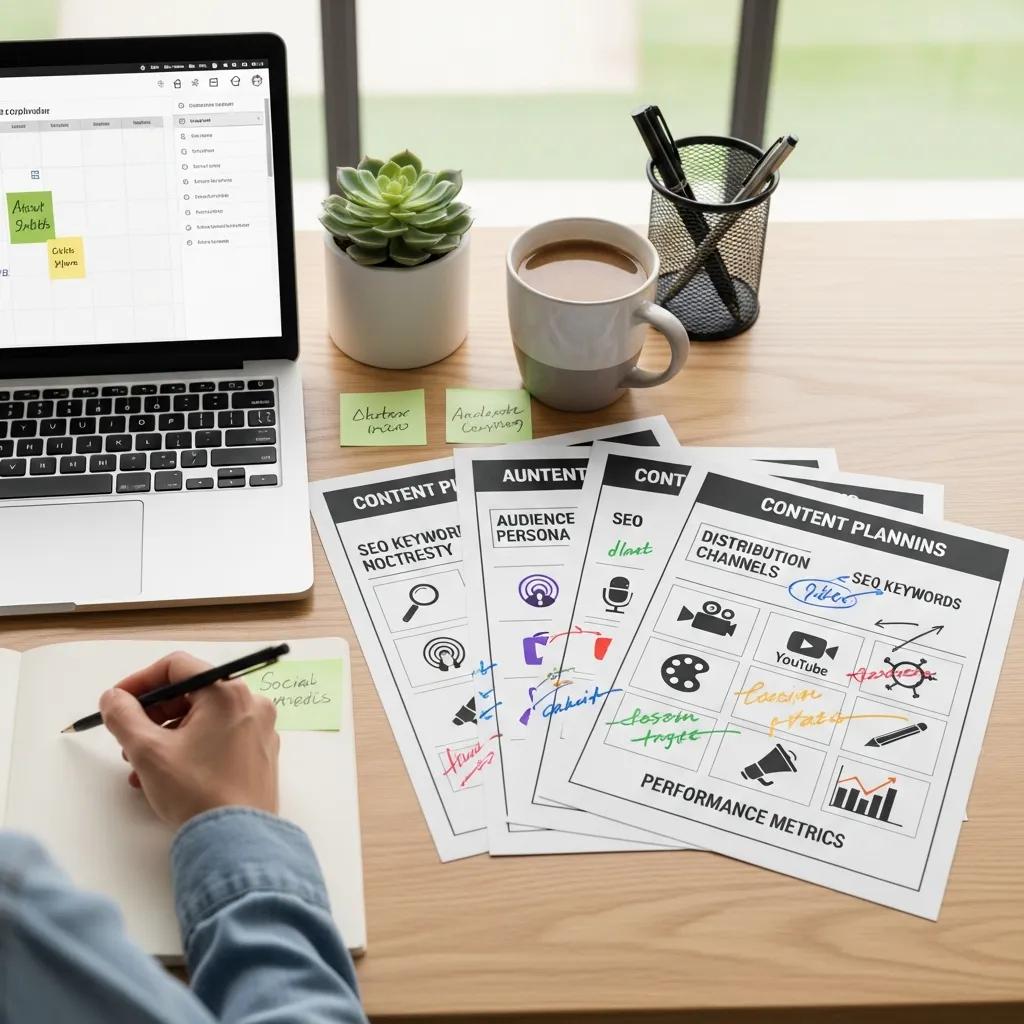
Your tool choice should match team size, budget, and desired automation. Solo owners often start with Google Sheets for its simplicity and portability; small teams get extra structure from Notion’s metadata and templates; Trello is great for visual workflows with cards and lists. Paid platforms add scheduling and automation but bring cost and complexity. For most SMBs, a shared Google Sheet or a simple Notion board balances collaboration with ease of use.
Tool comparison at a glance:
| Tool | Best For / Strength | Value (Pricing / Collaboration / Features) |
|---|---|---|
| Google Sheets | Solo owners / simple tracking | Free / real‑time collaboration / low setup cost |
| Notion | Small teams / richer metadata | Free–paid tiers / structured templates / integrated docs |
| Trello | Visual workflows / task tracking | Free–paid tiers / card‑based process / useful for small ops |
Use this comparison to pick a platform that fits your workflow. The next section shows how to set cadence, deadlines, and responsibilities inside any chosen tool.
How to Schedule Frequency, Deadlines, and Responsibilities
Pick a cadence your team can sustain — for example, weekly social posts, one monthly blog, and bi‑weekly emails. In the calendar, add deadlines for draft, review, design, and publish stages, and assign owners for each step so accountability is clear. A simple RACI works well for small teams: Responsible (creator), Accountable (owner), Consulted (designer), Informed (manager). Track status with tags like Draft, In Review, Scheduled, Published and use due dates so publishing aligns with distribution and promo windows.
Clear role assignment reduces bottlenecks and makes it easier to add CTAs that convert, as described next.
How to Add Calls‑to‑Action That Turn Traffic into Leads
CTAs turn engagement into measurable actions by matching friction to intent: informational content uses low‑friction CTAs (download checklist), while project pages and case studies use high‑intent CTAs (book estimate). Examples for remodelers: “Request a free on‑site estimate,” “Download cost‑saving checklist,” and “See financing options.” Place CTAs above the fold, inside the post, in social captions, and in email sequences, and link them to landing pages or booking funnels tracked by your CRM so appointments are measurable.
Mapping CTAs to funnel stages ensures every content piece has a clear conversion goal and feeds your KPI reporting.
Which Content Calendar Software Fits Small Businesses Best?
Choosing calendar software is about balancing ease of use with collaboration and automation that can scale. Start with low‑friction tools and a standardized template, then upgrade to cloud platforms with integrations when automation or team collaboration justifies the cost. The short guidance below helps you decide when to move up.
Common tool choices by stage:
- Google Sheets — minimal setup and easy sharing for small teams.
- Notion — richer content metadata, templates, and internal docs.
- Trello — visual production workflow with status tracking.
Recap table:
| Tool | Feature Strength | Best For |
|---|---|---|
| Google Sheets | Simplicity, portability | Solo owners or DIY marketers |
| Notion | Templates, metadata | Small teams needing structure |
| Trello | Workflow visualization | Teams that prefer kanban processes |
If you need automation, calendar integrations, or advanced scheduling, evaluate paid platforms once your process becomes repeatable and the added features pay off. Below we compare Google Sheets, Notion, and Trello with remodeler examples.
Google Sheets vs. Notion vs. Trello — Which One to Use?
Google Sheets is the quickest way to build a calendar with custom columns and filters; most people already know it. Notion provides hierarchical pages, relational databases, and templates that embed briefs, assets, and SOPs — handy when you want a single knowledge hub. Trello’s card system makes status and workflow visible and integrates well with simple editorial processes. For a remodeler: use Google Sheets for a 90‑day calendar and keyword list, Notion for case study templates and briefs, and Trello for moving content cards through production stages.
Pick the tool that matches how much process you want to enforce now versus later. Next: why cloud platforms help as you scale.
Why Cloud-Based Calendar Platforms Help Small Teams
Cloud platforms enable real‑time collaboration, version control, and integrations with publishing tools, which reduces manual work and improves remote coordination. Automation — reminders, recurring tasks, publishing integrations — helps maintain cadence without constant oversight. These platforms centralize assets, connect content to performance data, and cut miscommunication between field teams, designers, and creators. For SMBs running multiple local campaigns, cloud features speed execution and simplify audits and performance reviews.
Shortened review cycles and higher throughput feed directly into the remodeler tactics we cover next.
How Remodelers Should Tailor Their Content Calendars
Remodelers get the most value from calendars that highlight visual proof, seasonal timing, and local search. Prioritize before/after galleries, cost guides, and financing content timed to planning seasons like early spring and late fall. Create neighborhood pages and Google My Business posts to capture local intent, and schedule campaigns around homeowner decision windows for roofing, siding, or kitchen projects.
Below are high‑ROI content ideas and seasonal campaign outlines for remodelers.
Content Ideas and Seasonal Campaigns That Drive Remodeling Leads
Mix resource content with trust builders that match homeowner timelines: before/after galleries, project diaries, budgeting and financing explainers, local material trend reports, and maintenance checklists that bring people back. Seasonal campaigns could include a “Spring Remodel Planning” series (planning checklist, budgeting guide, estimate CTA) and a “Winter Ready” campaign (insulation, weatherproofing, booking promo). Each campaign should link to a booking funnel and include a lead magnet like a downloadable cost worksheet.
These ideas work best when paired with local SEO and conversion‑focused landing pages, described next.
How to Add Local SEO and Lead Gen Tasks to Your Calendar
Add local SEO actions to each calendar entry: use city or neighborhood modifiers in titles and meta descriptions, include schema for projects and reviews, publish localized blog posts and neighborhood project pages, and schedule Google posts or social updates tied to completed projects. Add a checklist column for on‑page local signals (city keywords, schema, image alt text with locality, internal links to service pages). Align landing pages with booking CTAs and use tracking parameters so you can see which local pages drive the most appointment requests.
Putting these local SEO tasks in the calendar turns traffic into measurable, local leads. Emulous Media has helped remodelers implement this framework with tailored training — combining SEO, Google Ads, and inbound lead generation — and you can schedule a strategy session to explore a custom plan for your business.
How to Measure Whether Your Content Calendar Is Working
Measurement connects content activity to business outcomes by tracking traffic, engagement, conversion, and lead quality on a regular cadence. Use analytics to link pages to upstream traffic and downstream bookings, set benchmarks, and run experiments to raise conversion rates. The table below maps KPIs to what they measure and how to track them so you can prioritize reporting and see which content produces qualified leads.
The following table maps KPIs:
| KPI | What It Measures | How to Track / Target Benchmark |
|---|---|---|
| Organic Traffic | Discovery and topical reach | Track in GA4 / target % month‑over‑month growth |
| Conversion Rate | Percentage of visitors taking a CTA | Measure form submissions or bookings per content page |
| Lead Volume | Raw number of leads from content | CRM attribution / target monthly booked estimates |
| Lead Quality | Appointment rate and closing likelihood | CRM scoring and percent that converts to paid jobs |
Knowing which KPIs matter informs your audit cadence and optimization priorities below.
Which KPIs Should Small Businesses Track?
Focus on metrics that link content to leads and revenue: organic sessions, page‑level conversion rates, lead submissions, appointment booking rate, and lead‑to‑customer conversion. Traffic shows visibility; conversion rate shows content‑to‑action effectiveness; lead volume measures scale; appointment rate and lead quality connect content to revenue. Use GA4 for page and channel data, Search Console for query insights, and your CRM to tie content to bookings and downstream sales.
With KPIs in place, build reporting templates and run regular audits to refine the calendar.
How to Use Analytics to Improve Your Content Calendar
Do a monthly performance check and a deeper quarterly audit: identify top topics, pages with high impressions but low clicks or conversions, and content with high bounce rates that need fixes. Run experiments — A/B test CTAs, tweak meta descriptions — to validate ideas and measure lift. Shift focus to pillars that deliver higher‑quality leads and reallocate resources to the formats and channels that drive the best appointment ROI.
Iterative, data‑driven tweaks make your calendar more effective over time. Next we cover advanced tactics like evergreen content and AI tools.
Advanced Calendar Strategies: Evergreen Content and AI
Advanced strategies boost long‑term ROI through evergreen assets, smart repurposing, and AI‑assisted planning. Evergreen pages reduce ongoing workload by continually attracting qualified traffic. Repurposing turns one core asset into many formats to increase reach. AI can speed topic discovery, cluster keywords, suggest publish timing, and automate scheduling — but it needs human review to preserve accuracy, voice, and local nuance.
The sections below explain evergreen tactics and practical AI use cases for small teams.
How Evergreen Content Strengthens Your Calendar
Evergreen content keeps attracting search traffic and leads long after publication, so it’s a high‑leverage investment for small businesses. For remodelers, examples include in‑depth cost guides, maintenance checklists, and evergreen how‑to pages. Refresh these every 6–12 months to update pricing, regional details, and new photos so they stay accurate and search‑optimized. Pair evergreen pages with occasional seasonal promotion for steady lead flow plus timely demand spikes.
A strong evergreen program lowers pressure for time‑sensitive pieces and helps meet monthly lead goals.
How to Use AI to Speed Planning and Scheduling
AI can help with topic ideation, keyword clustering, content briefs, headline options, and suggested publish schedules based on past engagement. Practical uses include generating prioritized topic clusters for local search, producing draft outlines for creators to refine, and recommending best times to publish for social reach. Governance is essential: always apply human review for facts, brand voice, and local details. Use AI to speed repetitive tasks while keeping creative and strategic decisions in human hands.
Adding AI into your workflow frees time for high‑impact work like outreach and conversion improvements.
One last practical note: measure outcomes, iterate, and keep the calendar tied to booked appointments and revenue goals. If you want hands‑on help building these processes, Emulous Media Inc. offers a Take Back Your Marketing 6‑Week Program that teaches this framework and tools; a strategy session can translate this guide into a measurable plan tailored to your business.
Frequently Asked Questions
What common mistakes should I avoid when building a content calendar?
Common mistakes include not aligning content to business goals (which creates irrelevant topics), setting unrealistic deadlines (which leads to missed publishing), ignoring analytics (which prevents learning), and leaving the team out of planning (which kills ownership). Fix these by linking every content item to a goal, building realistic timelines, tracking results, and involving the people who will execute.
How often should I review and update my content calendar?
Review your calendar monthly to check performance and refresh or repurpose content as needed. Do a deeper quarterly audit to reassess pillar priorities and strategy alignment. Regular reviews keep the calendar relevant and focused on driving leads.
What content types should I prioritize?
Prioritize content that matches buyer stages: educational blog posts, infographics, and social awareness pieces for top‑of‑funnel; case studies, testimonials, and detailed guides for consideration; and landing pages, promos, and booking forms for conversion. That mix covers discovery, trust, and action.
How do I make my calendar match seasonal trends?
Plan around industry seasonality and local decision windows. Research peak planning times and holidays relevant to your audience, then schedule themed campaigns — for example, spring planning or winter prep for remodelers. Use past analytics to refine timing and messaging.
How does audience feedback improve the calendar?
Audience feedback (surveys, social comments, engagement metrics) reveals what topics resonate and what’s missing. Use that input to adjust pillar focus, choose formats, and create content that solves real customer questions — which increases engagement and lead quality.
How do I integrate social media into the calendar?
Identify the platforms your audience uses and plan formats accordingly: short videos for Instagram, visual case studies for Facebook, informative posts for LinkedIn. Schedule regular posts that promote blog content, surface user‑generated work, and engage followers with polls or Q&A. Make sure social content supports your broader calendar themes and CTAs.
Which metrics should I track to know if the calendar is working?
Track KPIs that reflect visibility and conversion: organic traffic, page conversion rates, lead volume, appointment booking rate, and lead quality. Regularly review these metrics to spot what’s working and where to optimize so your content reliably produces booked leads.